

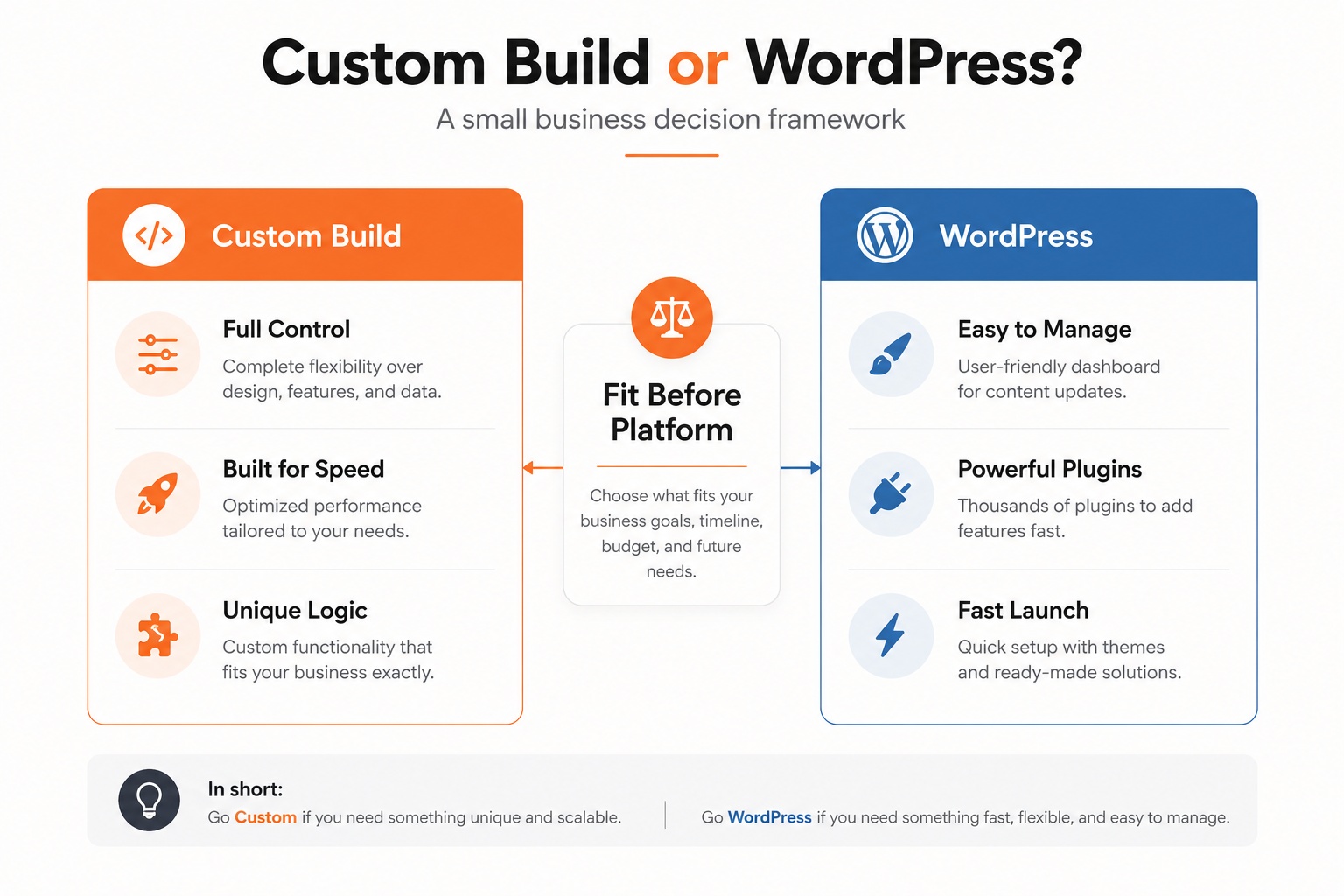
A small business website decision gets expensive when it starts with a platform argument instead of a business model. This guide explains custom website development vs wordpress for small business in plain language so you can choose the build that fits your content, budget, speed targets, integrations, and maintenance reality. By the end, you will have a decision matrix, a cost-of-ownership lens, SEO and performance checks, and a practical checklist to brief a developer without getting trapped in generic advice. The goal is not to crown one winner. It is to help you avoid the wrong website for the job.
Table of Contents
Right-click and choose 'Update Field' to populate the table of contents.
What the Comparison Really Means
WordPress is a content management system. It gives business teams a familiar admin area, themes, plugins, editing workflows, and a large ecosystem of developers. A custom website is built around your specific requirements, usually with a chosen frontend framework, backend, database, hosting stack, and integrations. Neither option is automatically more professional. The right choice depends on what the site has to do after launch.
Many small businesses only need clear service pages, a blog, contact forms, basic SEO controls, and an easy way to update content. WordPress can handle that well when it is configured cleanly and maintained. Other businesses need pricing logic, custom dashboards, unusual booking flows, gated portals, product configurators, or performance targets that are hard to reach with a stack of plugins. Those needs push the project toward custom development or a hybrid build.
The most useful way to frame custom website development vs WordPress for small business is by asking who will operate the site, how often it changes, what must integrate with it, and what will break the business if it is slow or fragile. That turns the conversation away from ideology and toward operating risk.
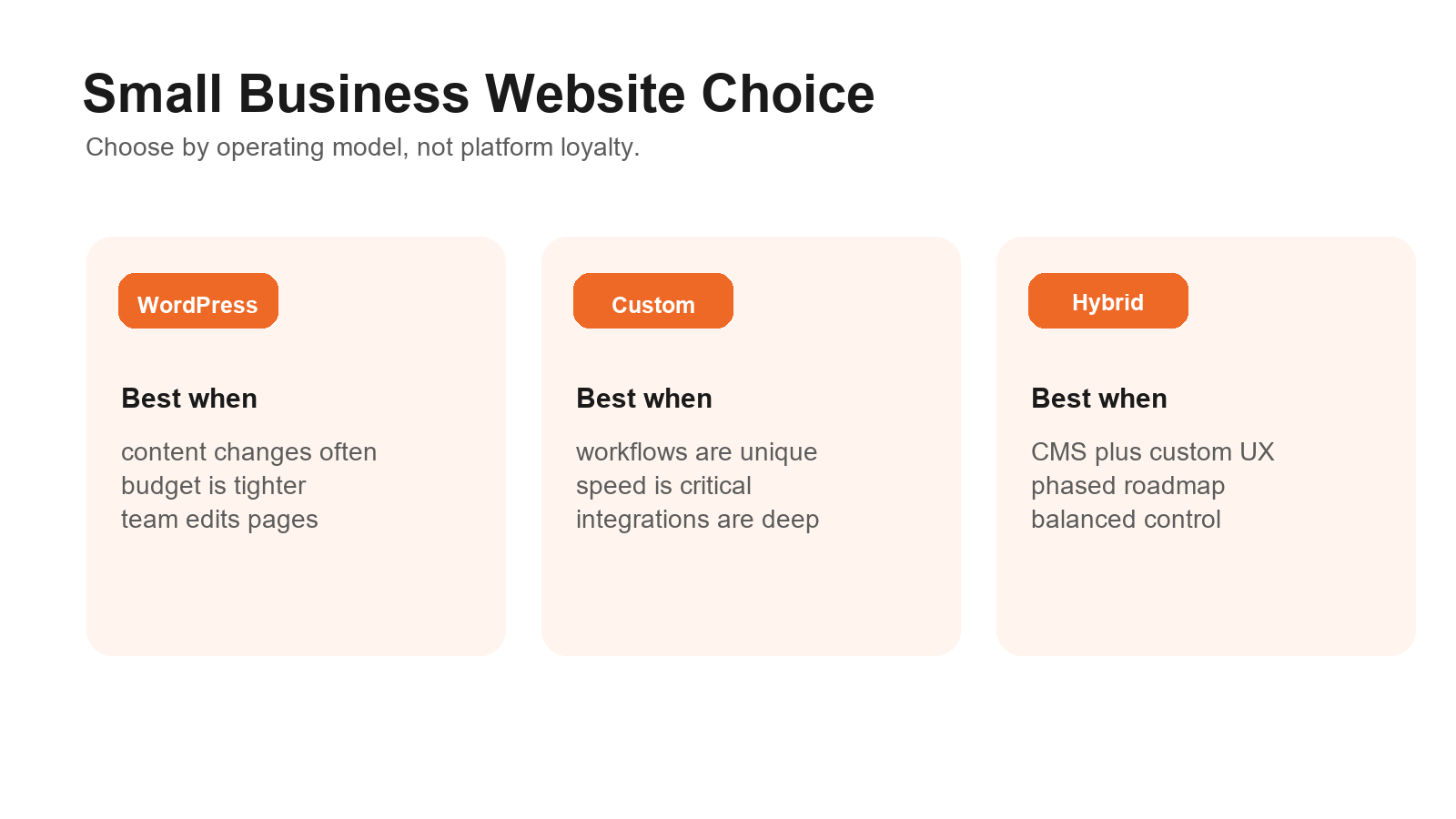
Figure 1: WordPress, custom development, and hybrid builds each solve a different small business operating problem.
When WordPress Is the Better Small Business Choice
WordPress is often the better fit when the business needs speed, editorial control, and a known ecosystem more than unusual software behavior. A local service company, agency, clinic, consultant, or content-heavy business can get a lot of value from a well-built WordPress site. If the main need is structured pages, blog publishing, forms, and manageable admin workflows, a disciplined CMS development approach can keep the build practical without locking every future update behind a developer.
The plugin ecosystem is both the strength and the risk. It can add SEO fields, forms, ecommerce, memberships, analytics, caching, and page building quickly. The tradeoff is that each plugin adds a maintenance dependency. WordPress.org recommends modern hosting requirements for performance and security, including supported PHP and database versions, and its official requirements page is a useful baseline when evaluating a host.
WordPress also wins when content ownership matters. If your team needs to publish landing pages, update service copy, add case studies, and adjust blog posts without waiting for a sprint, a clean CMS matters more than a perfect custom codebase. This does not mean you should accept a bloated theme. The best WordPress builds for small business are lean, documented, and restrained.
Use WordPress when your competitive advantage is not the website software itself. If the site mainly needs to communicate, rank, capture leads, and support sales, WordPress can be the smart economic choice. Save the custom budget for brand positioning, conversion copy, technical SEO, and the few custom components that truly move revenue.
When Custom Website Development Wins
Custom development wins when your website is closer to a product than a brochure. If customers log in, configure options, compare dynamic pricing, request quotes through complex rules, or interact with proprietary data, a custom build can protect the experience. Optivanced handles these cases through custom website development where the architecture starts from the workflow instead of a theme.
Performance is another reason to go custom. WordPress can be fast, but plugin-heavy sites often need careful caching, hosting, and theme discipline. A custom stack can remove unused features, reduce front-end weight, and design the page around the exact user journey. Google's Web Vitals guidance explains that Core Web Vitals focus on loading, responsiveness, and visual stability; those measures should influence both WordPress and custom builds. See the Web Vitals documentation for the official metric framing.
Custom development also gives you cleaner control over integrations. A small manufacturer might need inventory logic, distributor portals, CRM syncing, quote workflows, and role-based access. A clinic may need booking rules and secure intake flows. An ecommerce brand may need custom subscriptions, bundles, or fulfillment logic. When sales depend on checkout behavior, a dedicated ecommerce development plan can be more important than the CMS label.
The tradeoff is cost and dependency. A custom site needs a technical owner, documentation, version control, hosting decisions, monitoring, and a plan for future changes. If the business cannot maintain that relationship, custom code can become a quiet liability. The question is not whether custom is better. The question is whether your business has custom requirements and a maintenance plan to match.
Decision Matrix: Custom Website Development vs WordPress for Small Business
Use this matrix before asking for quotes. It keeps custom website development vs WordPress for small business grounded in practical tradeoffs instead of vendor preference. A good agency or developer should be able to explain why your situation points toward one path, a hybrid path, or a phased roadmap.
For most owners, custom website development vs WordPress for small business becomes clearer once the conversation moves from features to responsibilities: who edits, who secures, who measures, and who improves the site after launch.
Question | WordPress leans better | Custom leans better |
Who edits content? | Non-technical staff update pages often. | A developer or product team controls releases. |
How unique is the workflow? | Mostly pages, posts, forms, and standard ecommerce. | Custom quoting, portals, dashboards, or business logic. |
How fast must it launch? | You need a credible site in weeks. | You can invest more time for a tailored system. |
How strict are performance goals? | Good hosting and a lean setup are enough. | The experience requires minimal code and deep control. |
What is the maintenance model? | Updates, backups, plugins, and admin training. | Code releases, monitoring, infrastructure, and docs. |
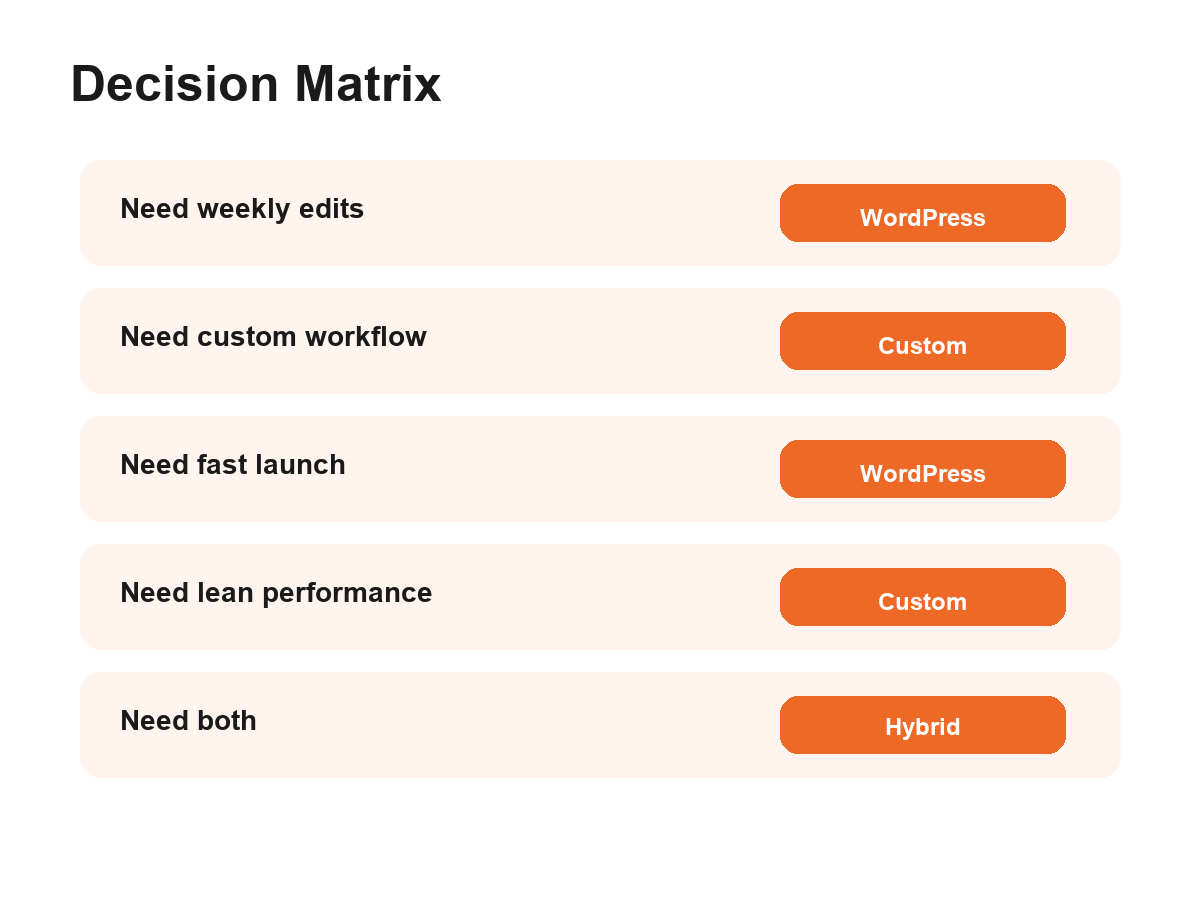
Figure 2: A decision matrix helps small businesses choose by need, not by platform preference.
SEO, Performance, and Security Tradeoffs
SEO does not belong to WordPress or custom code. Google cares about crawlable pages, useful content, clear structure, internal linking, performance, and technical accessibility. Google's SEO Starter Guide frames SEO as helping search engines understand content while helping users find and evaluate your site. That applies no matter which platform you choose.
WordPress makes many SEO basics easier because tools and plugins can expose titles, meta descriptions, redirects, sitemaps, and schema settings to non-technical teams. Custom builds can be excellent for SEO too, but only if the developer deliberately includes those controls. If organic visibility is central to the project, pair the build with technical and on-page SEO support before launch, not after the site has already gone live.
Security is similar. WordPress has a dedicated security process and can receive critical fixes, but the real-world risk often comes from weak hosting, abandoned plugins, poor passwords, and neglected updates. WordPress.org's security page explains how the project handles vulnerability reporting and fixes. A small business still needs a maintenance process around the site.
Custom builds reduce some plugin exposure, but they introduce different responsibilities. Someone must patch dependencies, review code, protect forms and APIs, manage access, and monitor uptime. A custom site with no maintenance plan is not safer than a WordPress site with professional upkeep. The safest option is the one your business can responsibly operate.
Cost of Ownership: Build Price Is Only the First Line
Initial build cost matters, but total ownership matters more. WordPress may have a lower starting point because themes, plugins, and common workflows reduce custom engineering. Costs show up later in hosting, premium plugins, updates, security monitoring, performance cleanup, and occasional troubleshooting. Custom development usually costs more upfront because the team is designing and engineering more from scratch, but it may reduce workarounds when the business logic is unusual.
A better budget conversation separates four buckets: strategy and UX, design and content, development and integrations, and maintenance. Many quotes look cheap because they skip one of those buckets. For conversion-focused campaigns, a website may also need dedicated landing page and funnel development rather than a generic template page.
If the business only needs a polished service website, custom code may overbuild the solution. If the business needs workflows that employees will use every day, WordPress plugins may underbuild it. The expensive choice is not always the custom one. The expensive choice is the one that forces a rebuild after the real requirements appear.
For a clean estimate, ask vendors to price launch and year one separately. Launch covers design, build, content setup, QA, analytics, and handover. Year one covers updates, hosting, backups, minor changes, security review, and performance checks. That makes custom website development vs WordPress for small business easier to compare because both options carry visible operating costs.
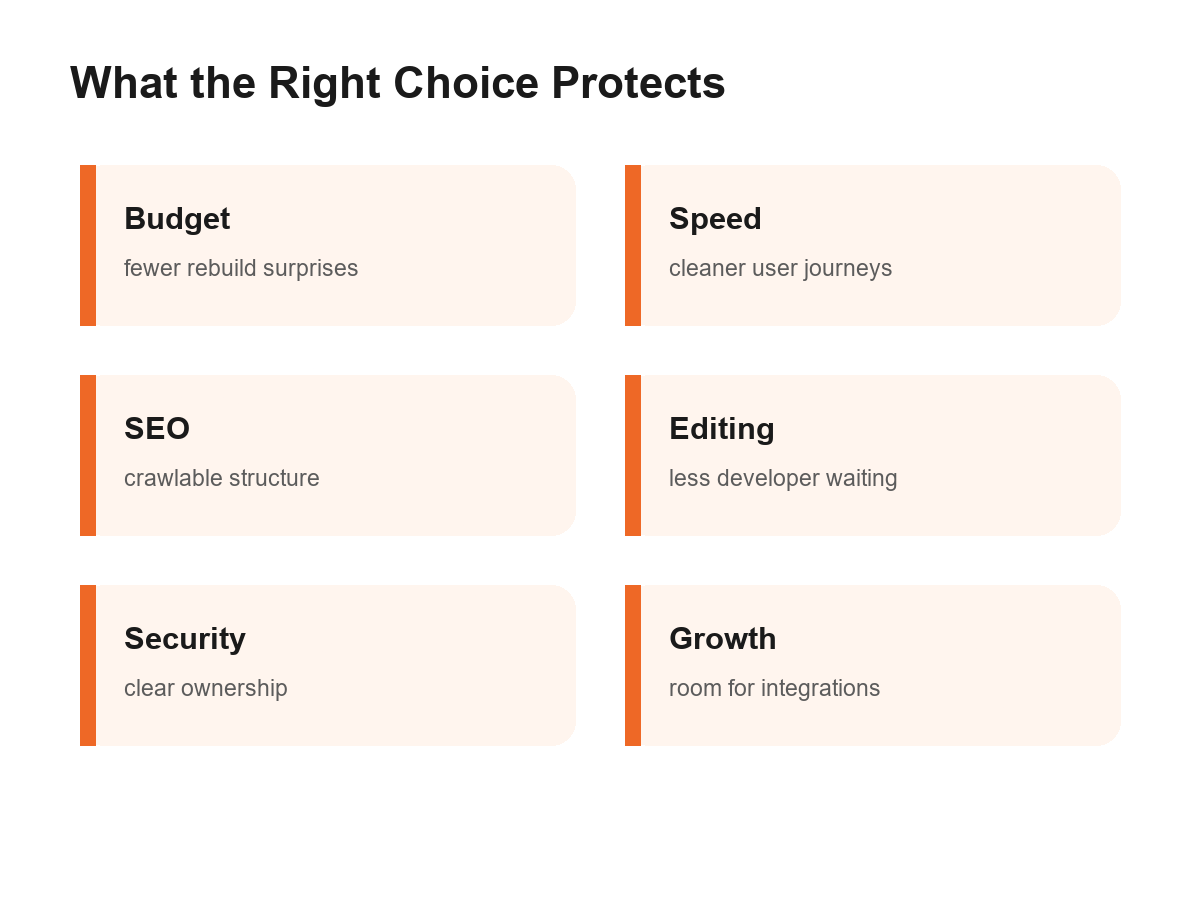
Figure 3: The right website choice protects budget, speed, SEO, editing, security, and growth.
A Hybrid Build Is Often the Smart Middle
The choice is not always pure WordPress or fully custom. A hybrid build can use WordPress as the CMS while adding custom theme development, custom blocks, API integrations, or a separate frontend. This works when the business needs editorial control but also wants a more tailored experience than a marketplace theme can provide.
A hybrid path is especially useful for businesses that expect the site to mature. Phase one might launch service pages, blog architecture, lead forms, analytics, and core SEO. Phase two might add quote logic, dashboards, customer portals, or ecommerce automation. The early platform decision should not trap the business when those needs arrive.
The main requirement is architecture discipline. Do not call a plugin pile a hybrid strategy. A real hybrid plan defines what WordPress owns, what custom code owns, how data moves between systems, who maintains each piece, and how updates are tested. That clarity gives small businesses the best of both worlds without inheriting the worst of both.
Common Mistakes Small Businesses Make
The first mistake is choosing WordPress because it sounds cheap, then paying for plugin fixes forever. The second mistake is choosing custom development because it sounds premium, then discovering nobody on the team can edit a service page. Both mistakes come from skipping the operating model.
Another mistake is treating SEO as a plugin or a framework feature. Plugins can expose fields, and frameworks can render fast pages, but neither creates strong service architecture, useful copy, internal links, or conversion paths by itself. The platform can support SEO. It cannot replace SEO strategy.
Small businesses also underestimate handover. Ask for admin training, documentation, backup procedures, plugin or dependency notes, hosting access, analytics access, and a maintenance schedule. If the person building the site disappears, the business should still understand how the system works and what to do next.
Finally, do not compare proposals by page count alone. A five-page custom application can be more complex than a twenty-page WordPress site. A content-heavy WordPress build can require more planning than a simple custom landing page. Compare scope by outcomes, workflows, integrations, and post-launch responsibilities.
Checklist Before You Choose
Before approving a proposal, answer the checklist below with your team. It will expose whether custom website development vs WordPress for small business is really a platform question or a requirements question. If several answers are unclear, pause the build and tighten the brief first.
List every person who must edit content and what they need to change.
Define the pages that must rank in search and the content workflow behind them.
Name every integration, including CRM, booking, payments, email, analytics, and inventory.
Set performance expectations, especially for mobile visitors.
Decide who owns updates, backups, security checks, and troubleshooting.
Separate must-have launch features from phase-two features.
Ask vendors for a year-one maintenance plan, not only a launch quote.
If you want a practical recommendation, Optivanced can review your goals through our web development and ecommerce services and map the right stack before design begins. That usually saves more money than debating platforms after a proposal is already written.
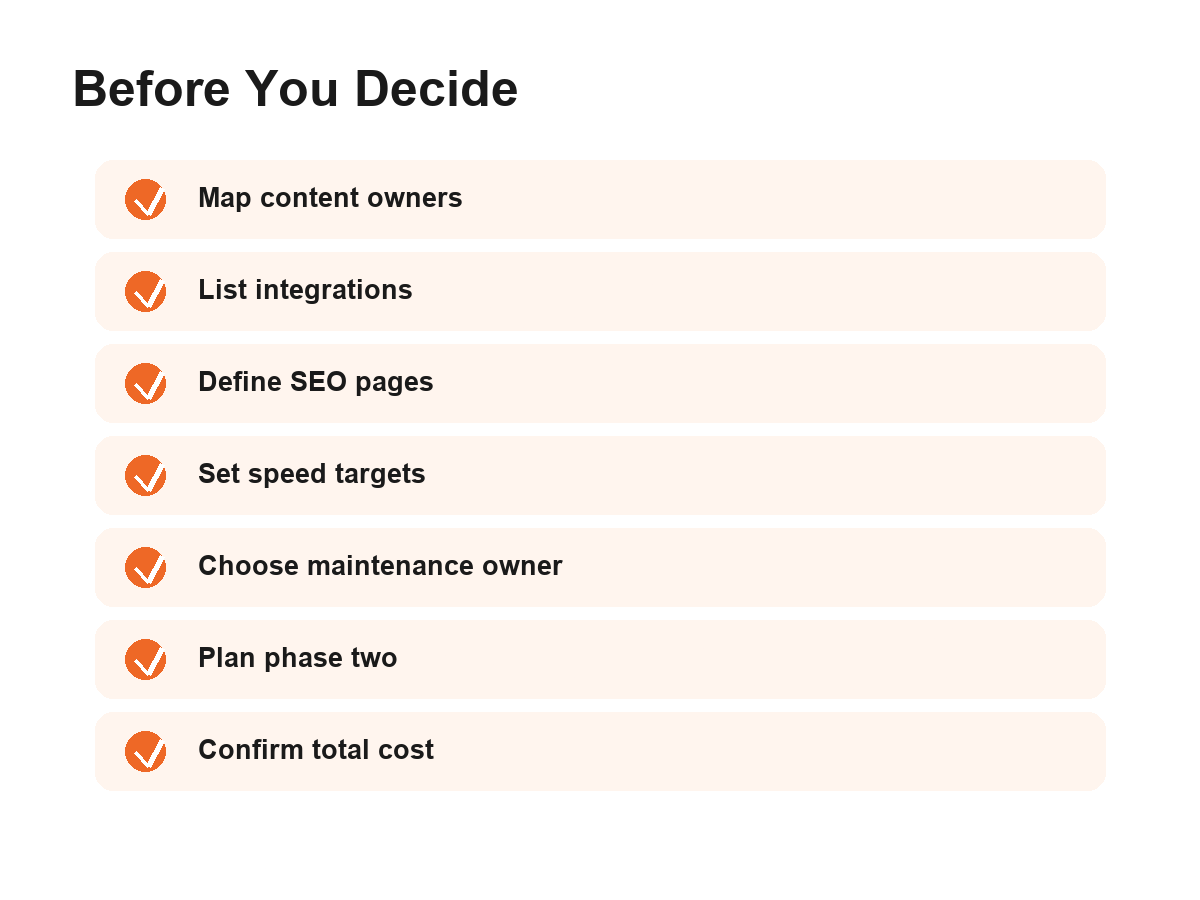
Figure 4: A pre-build checklist turns the platform debate into a clearer project brief.
FAQs
Is WordPress good enough for a small business website?
Yes, WordPress is often good enough when the site needs service pages, blog content, forms, local SEO pages, and easy editing. It becomes risky when the build depends on too many plugins or when the business needs custom workflows that WordPress was not planned to handle.
Is a custom website better for SEO than WordPress?
Not automatically. A custom site can be faster and cleaner, but only if SEO controls, crawlable pages, metadata, schema, redirects, and internal linking are planned. WordPress can also perform well when it is lean, well hosted, and supported by strong content architecture.
Which option is cheaper over time?
WordPress is often cheaper to launch, especially for standard business websites. Custom development usually costs more upfront but can be cheaper than forcing plugins to handle unusual business logic. Compare year-one and year-two maintenance, not only the build quote.
Can I start with WordPress and move to custom later?
Yes, but plan for it. Keep content structured, avoid unnecessary plugin lock-in, document integrations, and choose hosting and analytics setups that can migrate. A phased roadmap works best when the team knows which future features may require custom development.
What should I ask a developer before choosing?
Ask who will edit the site, what integrations are required, how SEO fields are managed, how backups and updates work, what happens if a plugin or dependency breaks, and what the year-one maintenance plan includes. Good answers reveal the better platform choice.
External Links Referenced
WordPress.org hosting and software requirements.
WordPress.org security process and vulnerability guidance.
Google Search Central SEO Starter Guide.
web.dev Web Vitals documentation.
WordPress.com overview of WordPress market share and ecosystem.
Final Thoughts
The best website choice is the one your business can launch, maintain, improve, and afford without fighting the platform every month. WordPress is strong when content control and speed to market matter. Custom development is strong when the site has unique workflows, deeper integrations, or strict performance requirements. The core mistake is buying a platform before defining the operating model. If you would rather not build this from scratch, our team at Optivanced does it every week through web development, CMS, ecommerce, and custom build planning. Want a custom plan for your business?
Share your goals, content needs, integrations, and launch timeline. We will recommend the right website architecture before you spend on the wrong build. Get a free quote |