

Most small businesses do not run out of things to say. They run out of repeatable ways to package those ideas so people stop scrolling and understand the offer. This guide gives you social media post design ideas for small business accounts that need to look professional without spending all week inside Canva or Photoshop. By the end, you will have a four-pillar content mix, practical post concepts, mobile-first design rules, and a simple weekly workflow. At Optivanced, we use the same kind of template thinking for local businesses, ecommerce brands, and service teams that need better creative without adding chaos.
What Makes Social Media Post Design Ideas for Small Business Work?
A useful post idea is more than a topic. It is a pairing of message, format, visual hierarchy, and next action. A bakery can post a product photo, but that same product can become a customer story, a preparation clip, a limited-time offer, a care tip, or a local event tie-in. The design job is to make the idea recognizable in one or two seconds, especially on a phone screen.
For small businesses, the best creative system starts with constraints. Pick a small set of colors, type styles, photo treatments, caption patterns, and template layouts. Then rotate ideas through those patterns instead of rebuilding every post from scratch. If your brand foundations are loose, our brand identity design team can define the visual rules before you scale up posting.
The goal is not to make every post look identical. The goal is to make every post feel like it came from the same business. When people recognize your colors, framing, tone, and offer style, your feed starts working like a small brand system rather than a scrapbook of one-off graphics. That is why social media post design ideas for small business should include templates, not just prompts.
As a working rule, treat social media post design ideas for small business as reusable creative assets, not disposable daily chores. The more repeatable the system becomes, the easier it is to post when the shop is busy, the team is small, and the owner still has customers to serve.
Build a Four-Pillar Content Mix Before You Design
Most ranking articles give long lists of ideas: customer reviews, behind-the-scenes clips, FAQs, team photos, offers, polls, and seasonal posts. Those lists are helpful, but they can still leave an owner staring at a blank calendar. A tighter approach is to group every post into four pillars: teach, prove, show, and sell.
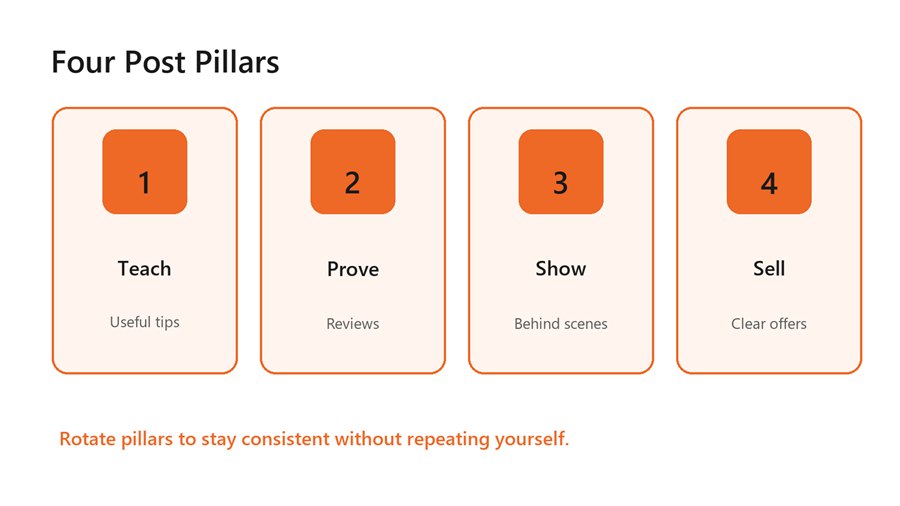
A simple four-pillar content mix keeps small-business posts balanced.
Teach posts answer a common question, explain a mistake, or simplify a decision. Prove posts turn reviews, before-and-after work, case examples, and customer photos into trust builders. Show posts reveal process, people, materials, community, or personality. Sell posts make the offer clear: book, buy, visit, call, download, or request a quote. Rotate these four pillars and your feed becomes less random without feeling stiff.
This mix also protects the business from over-promotion. If every post asks people to buy, followers tune out. If every post only educates, the audience may like the content but forget the offer. A balanced month might include two teach posts, two proof posts, one show post, and one sell post each week. Adjust the rhythm based on season, capacity, and campaign goals.
Design Mobile-First Posts That People Can Read Quickly
Mobile readability is the first design filter. Hootsuite's May 2026 image size guide lists vertical and mobile-first formats such as 4:5 feed images and 9:16 stories or reels as core social formats, while Sprout Social's May 2026 guide warns that wrong sizes can create crops, blurry visuals, and weak first impressions. Those details matter because a post that looks polished on a laptop can become tiny, crowded, or cropped in the actual feed.
Use one main message per graphic. Put the hook in the largest type, keep supporting copy short, and avoid placing important text too close to the edges. For Instagram and Facebook feed posts, a 4:5 layout gives the message more vertical room than a square. For stories and reels covers, build for 9:16 and keep key content away from interface zones.
The official LinkedIn Single Image Ads guide lists different ratios for horizontal, square, and vertical placements, including 1200 x 628 for horizontal and 720 x 900 for 4:5 vertical. Even if you are posting organically, those specs are a useful reminder: one design rarely works perfectly everywhere. Build a master idea, then export channel-specific versions.
25 Practical Post Design Ideas You Can Reuse
- A question card that answers the thing customers ask before buying.
- A before-and-after comparison with the same crop and lighting on both sides.
- A review graphic that highlights one short sentence instead of the full testimonial.
- A three-slide carousel: problem, mistake, better approach.
- A product-in-use photo with one benefit label and a clear CTA.
- A mini checklist customers can save before a visit, booking, or purchase.
- A staff pick post that names the person and why they chose it.
- A local event or community shout-out framed in your brand colors.
- A myth-versus-fact card for a common misconception in your industry.
- A process snapshot that shows one step customers rarely see.
- A limited offer graphic with date, value, and action visible at a glance.
- A seasonal reminder that connects timing to a real customer need.
The common thread is clarity. Each idea has one job, one visual structure, and one reason to exist. If you need polished templates for these formats, our social media post design service can turn the ideas into ready-to-use branded graphics for your monthly calendar.
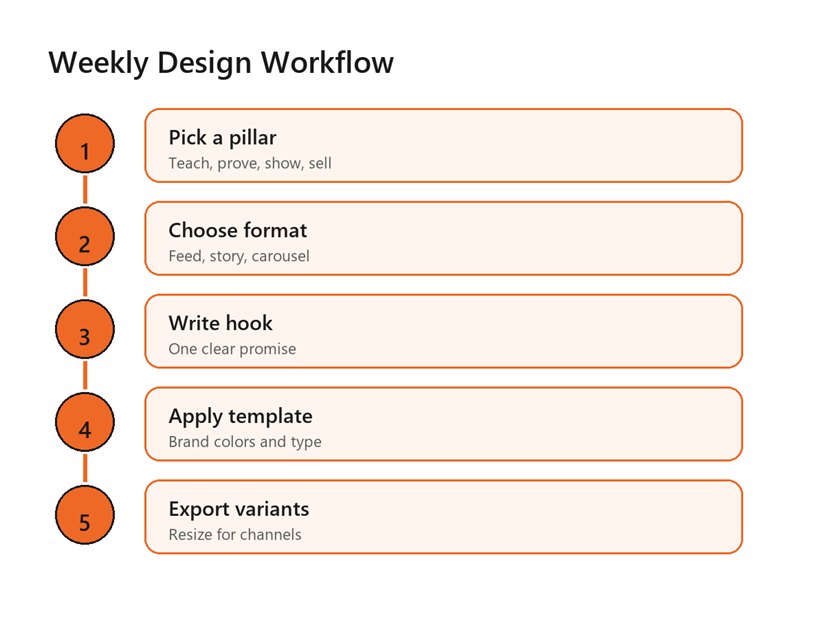
A repeatable weekly workflow turns ideas into designed
posts without daily decision fatigue.
Turn One Idea Into Multiple Platform Versions
Small businesses save time when they stop treating each platform as a brand-new creative assignment. Start with one core idea, then adapt the design for each channel. A customer review can become a 4:5 Instagram feed graphic, a 9:16 story sticker, a square Facebook post, a LinkedIn proof card, and a short video cover. The message stays the same, but the crop, text size, and call to action change.
Create a small export checklist for the channels you actually use. For many businesses, that means Instagram, Facebook, Google Business Profile, and perhaps LinkedIn or Pinterest. Do not chase every platform. Pick the places where your customers already pay attention, then design consistently for those placements. If social posting is part of a broader campaign, our social media management team can connect the calendar, captions, publishing rhythm, and reporting.
Repurposing also helps with creative testing. If a review graphic performs well, test a different hook, crop, or CTA before abandoning the concept. Most small businesses do not need fifty fresh ideas every month. They need five strong ideas with enough variations to learn what their audience notices.
Make Branded Templates Without Making Everything Look the Same
Templates work best when they define structure, not boredom. Create layouts for recurring jobs: testimonial, tip, announcement, offer, carousel cover, event reminder, and before-and-after proof. Each template should include a clear text hierarchy, image area, logo position, CTA area, and safe margins. After that, vary the photography, headline, illustration, or accent shape.
A small business template kit does not need to be huge. Start with six to eight layouts and two or three format sizes. Keep your headline style consistent, use the same corner radius or shape language, and avoid adding new fonts every time a post feels quiet. When a post needs data, steps, or visual explanation, our infographic design team can create clearer layouts than a dense caption ever could.
Accessibility belongs inside the template, too. The WCAG 2.2 recommendation is written for web content, but its contrast and non-text guidance is useful for social graphics. Use strong contrast, do not rely on color alone for meaning, and prepare alt text for images that carry important information.
Benefits of a Better Small-Business Post Design System
The biggest benefit is consistency without burnout. When the owner, manager, or part-time marketer has a repeatable set of post types, content creation feels less like starting over. The business can batch ideas, write hooks, design graphics, and schedule posts in one focused session.
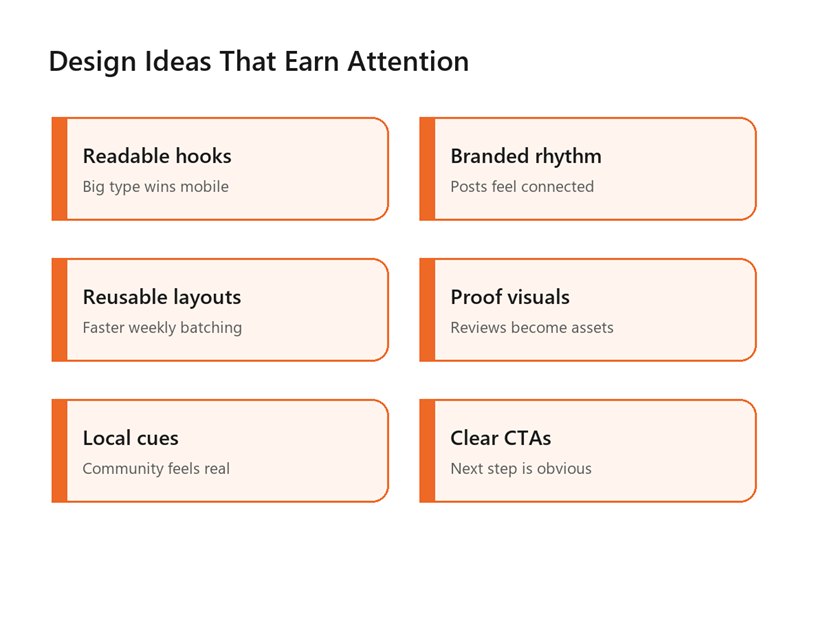
Better post design improves readability, recognition,
batching, proof, local relevance, and CTAs.
Better design also makes offers easier to understand. A cluttered discount graphic can look desperate. A clear offer card can feel helpful, timely, and easy to act on. The difference is usually hierarchy: one headline, one supporting line, one visual proof point, and one CTA.
For paid campaigns, clean post design becomes even more important because the creative is competing beyond your warm audience. If you are promoting posts or running paid traffic, our Google and social media ads team can help match creative variants to placements, audiences, and campaign goals.
Common Design Mistakes Small Businesses Should Avoid
- Using too many fonts, colors, and graphic styles in the same month.
- Putting paragraph-length copy inside the image instead of the caption.
- Designing only square posts when the feed is largely mobile-first.
- Making the logo larger than the message.
- Using low-contrast text over busy photos.
- Posting offers without a clear deadline, value, or next action.
- Ignoring alt text when the image contains important information.
The most common mistake is treating design as decoration after the idea is already finished. Design should clarify the idea from the start. Before opening a design tool, write the post's job in one sentence. If the job is fuzzy, the graphic will usually become crowded.
Another trap is copying trend formats without translating them into the brand. Trends can help visibility, but a local business still needs trust, recognition, and a clear offer. Use trends as a container only when they fit your voice and can be understood by the people you actually want to reach.
A Weekly Framework for Small-Business Social Posts
Use a lightweight weekly rhythm. On Monday, pick one teach idea, one proof idea, one show idea, and one sell idea. On Tuesday, write the hooks and captions. On Wednesday, design from templates. On Thursday, export and schedule. On Friday, review which post earned useful attention, not just likes.
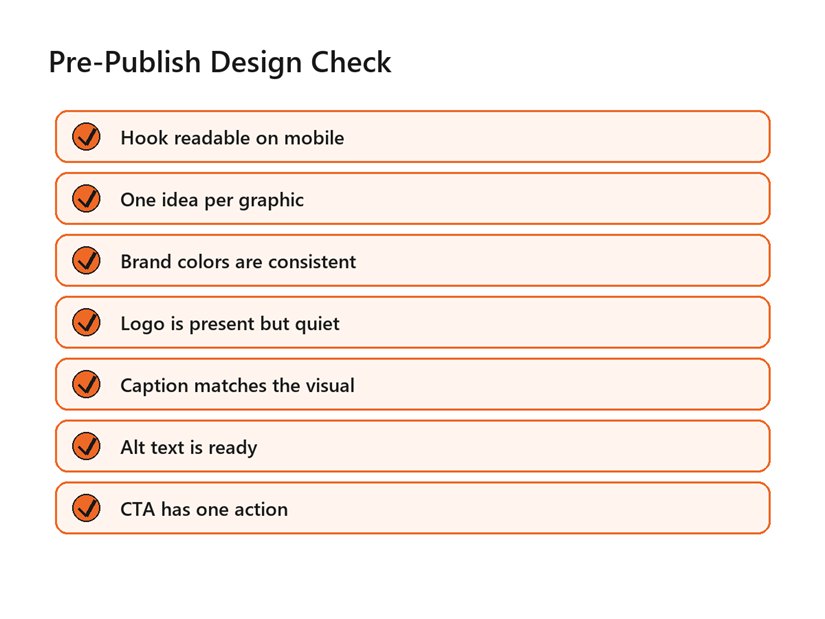
Use this checklist before publishing a designed social
media post.
The review matters because good social media post design ideas for small business are not frozen forever. A service business may learn that proof posts drive inquiries. A restaurant may learn that behind-the-scenes prep gets saves. A retail shop may learn that staff picks outperform generic product grids. Let the calendar learn from the audience without changing the brand system every week.
That is the practical reason to document social media post design ideas for small business in a simple brand playbook. A playbook lets anyone on the team build from the same pillars, templates, and review criteria.
Keep the measurement simple: saves, shares, comments with buying intent, profile visits, website clicks, messages, and booked calls. Follower count can be useful over time, but it should not be the only signal. A small business needs attention that can turn into trust, visits, leads, and repeat customers.
Reviewing social media post design ideas for small business against those signals keeps the creative practical. The best design is the design your audience can recognize, understand, and act on.
FAQs
What should a small business post on social media?
Start with four pillars: teach, prove, show, and sell. Teach with tips or answers, prove with reviews and results, show people or process, and sell with clear offers. This mix keeps the feed useful without making every post feel promotional.
How do I make small-business posts look professional?
Use consistent colors, fonts, image crops, and CTA placement. Keep one main idea per graphic and make the hook readable on a phone. Professional design usually comes from restraint and repetition, not from adding more effects.
What size should social media post designs be?
Use platform-specific exports. A practical base set is 4:5 for mobile feed posts, 9:16 for stories and reels covers, and square or horizontal versions where needed. Always preview the crop before publishing because interface elements vary by platform.
How many times per week should a small business post?
Choose a rhythm you can sustain. Many small businesses do better with three or four useful posts per week than with daily posts that collapse after two weeks. Consistency matters more when the design system and content pillars are clear.
Can I reuse the same post idea more than once?
Yes. Reuse strong ideas with a new hook, crop, format, or CTA. A review can become a quote card, a story, a carousel slide, or a proof post. Repetition is useful when it is refreshed and tied to the same brand system.
External Links Referenced
Current social media image sizes: Hootsuite social media image sizes guide
Cross-platform size guidance: Sprout Social image sizes guide
LinkedIn image placement specs: LinkedIn Single Image Ads guide
Accessibility baseline: W3C WCAG 2.2
Final Thoughts
Strong small-business social design is a system, not a daily scramble for inspiration. Start with the four pillars, turn repeat ideas into templates, and export for the channels your audience actually uses. The mistake to avoid is designing every post as if it must carry the whole brand by itself. If you would rather not build this from scratch, our team at Optivanced does it every week through custom social media post design. Want a custom plan for your business? Get a free quote and we will send you a tailored proposal within one business day.